Publish a candidate pack
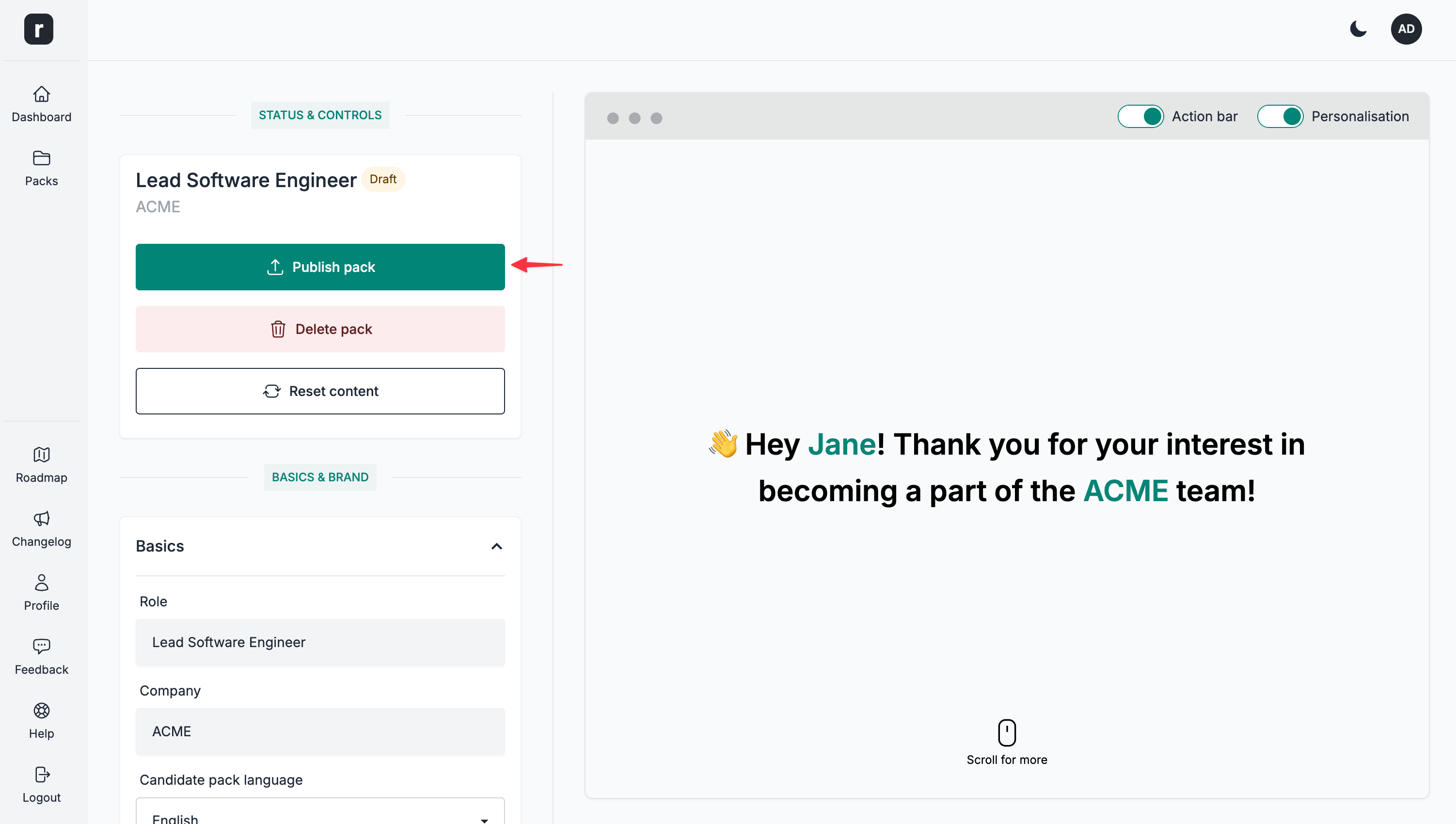
When creating a new candidate pack, by default the status is set to Draft.
A Draft status means that the pack is saved to the database, however it's not available yet for the public.
To publish a candidate pack, click the Publish pack option under the Status & Controls section.
Once a candidate pack is published, you'll see the status being updated to Live and a new Select an action dropdown appearing. A random ID is assigned when the candidate pack is created; publishing then makes the pack publicly available on a URL such as: https://role.so/packs/RANDOM_ID
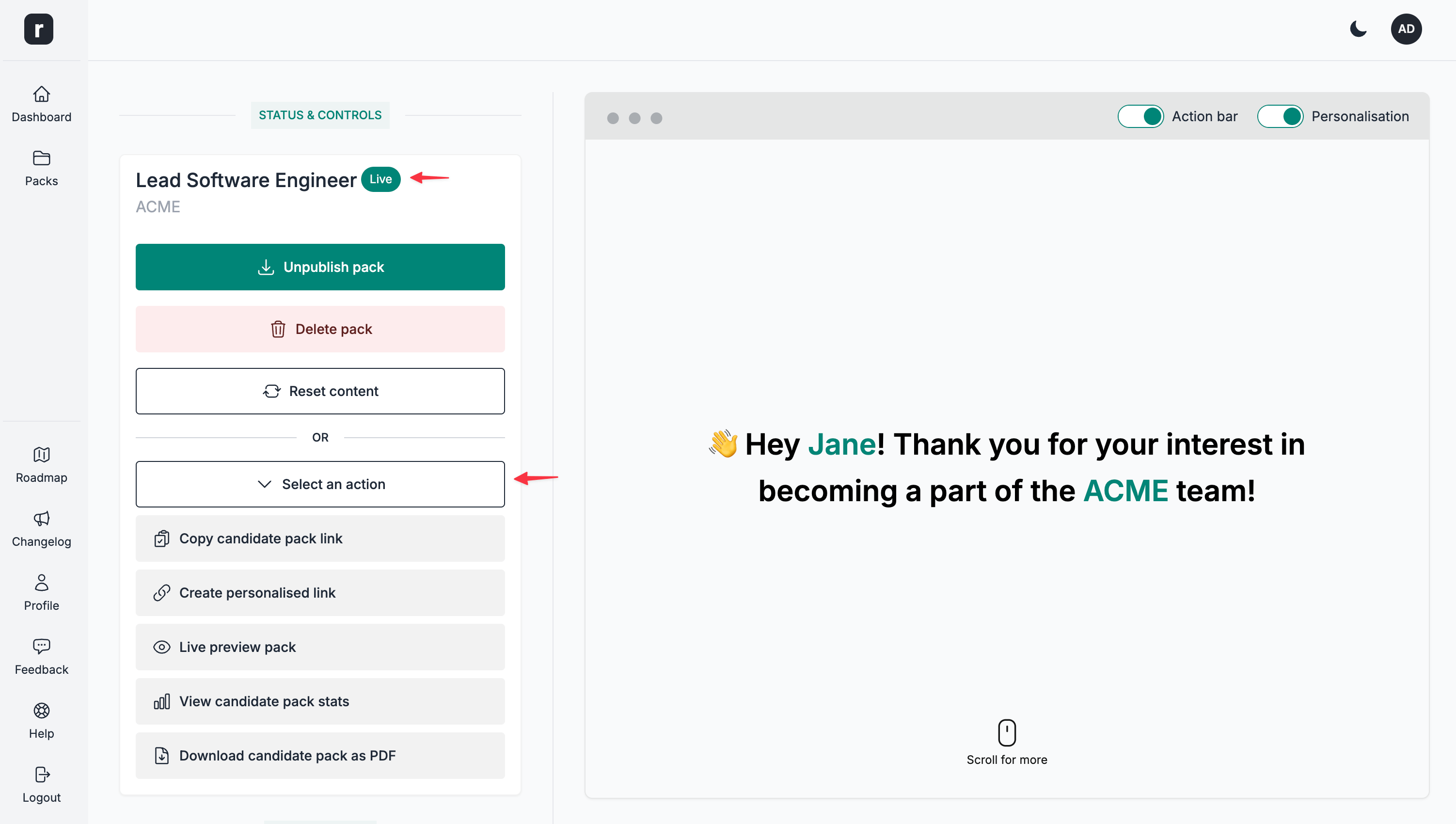
From the Select an action dropdown, you can then copy the link, visit the candidate pack public page, and take other actions.
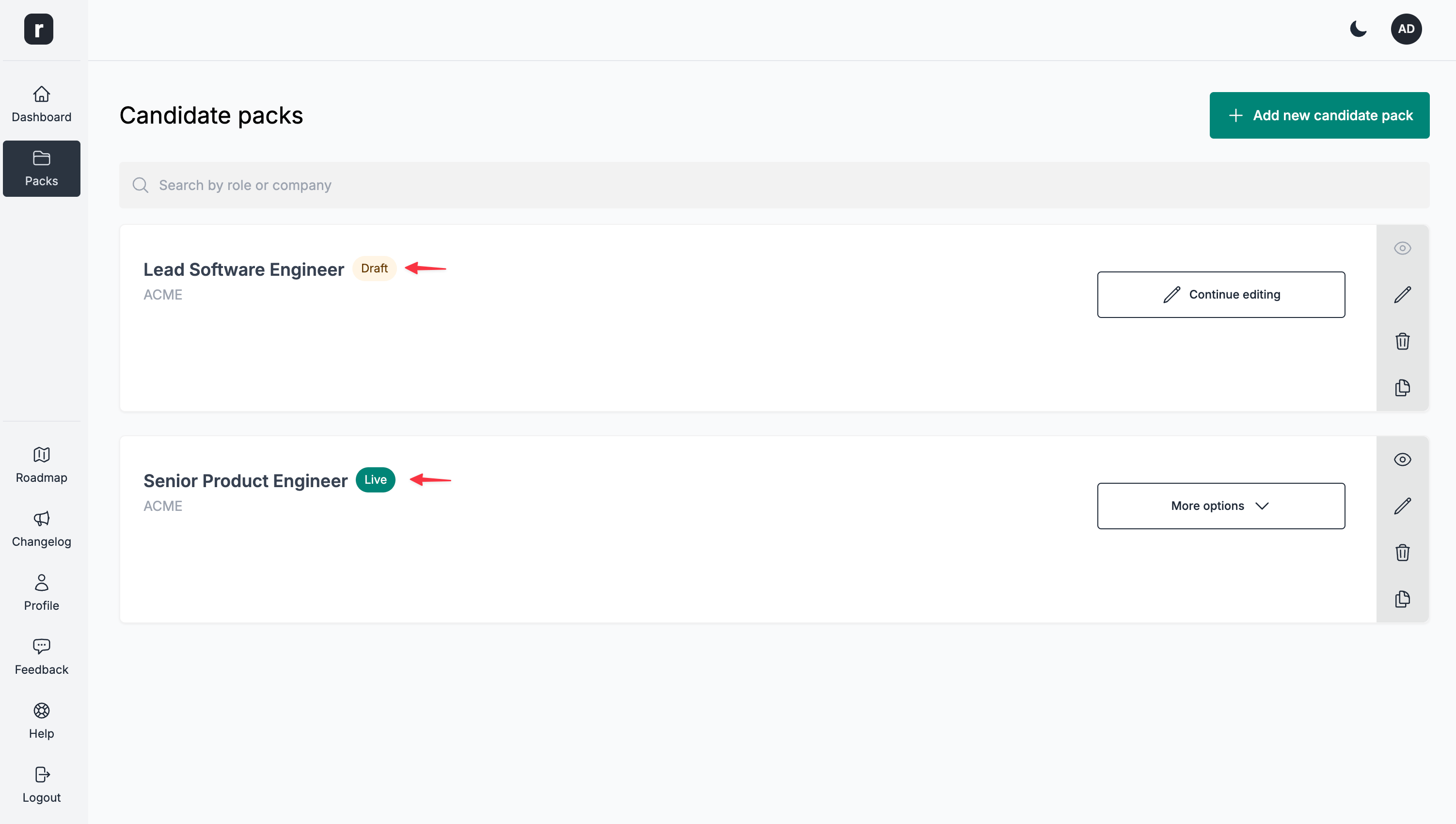
You can check the status of all your candidate packs on the candidate packs listing page.
Choose which packs appear on careers pages
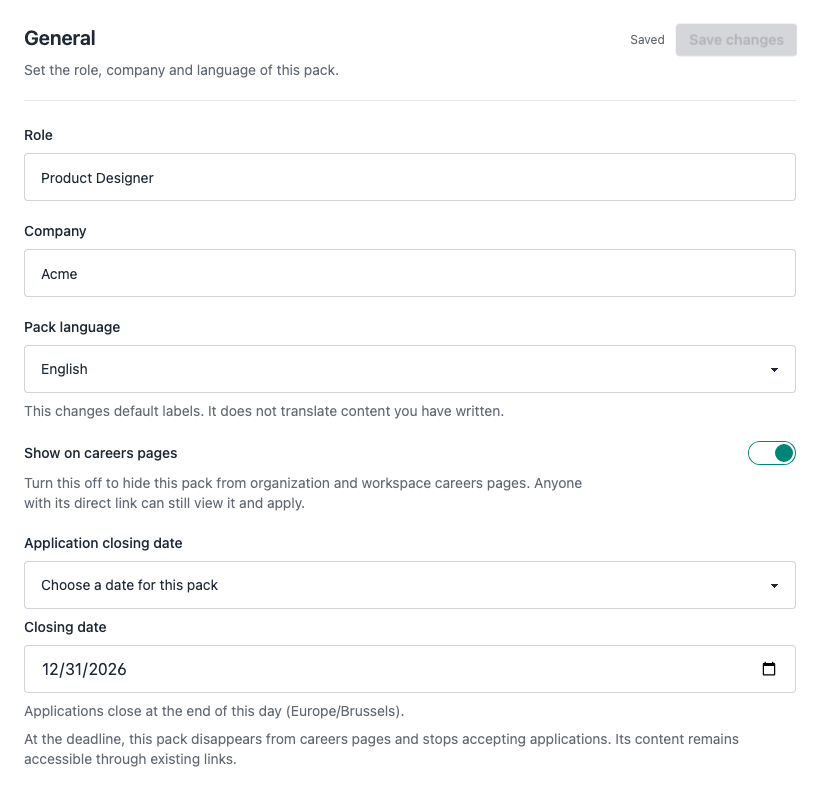
In the pack editor, open Settings → General, turn Show on careers pages on or off, then click Save changes. The setting applies to both organization and workspace careers pages and their previews. It is enabled by default, including for existing packs. Only published, non-archived packs with this setting enabled appear. A workspace page also limits the list to packs in that workspace.
Turning it off does not unpublish the pack or make it private: anyone with its direct or personalized link can still view it and apply while applications are open. The packs dashboard shows Hidden from careers pages for packs with this setting disabled.
Schedule application closing
In Settings → General → Application closing date, choose No closing date, Choose a date for this pack, or Use the linked job’s application deadline. Save your changes.
A custom date is inclusive: applications close at the end of that day in the timezone shown below the field. With a linked job, the pack follows its application deadline and the job’s timezone (UTC if none is set). Changes to the job deadline apply automatically. If the job has no application deadline, applications remain open. This setting is separate from the Google Jobs “valid through” date.
At the deadline, the pack disappears from careers pages and its previews, and its application buttons are replaced by Applications closed. Direct and personalized links still show the content. The server also rejects submissions from forms opened before closing. Existing packs keep accepting applications until a closing rule is explicitly selected. Choose No closing date or a future deadline to reopen applications.
Visibility and closing work independently. A hidden pack can still accept applications through its links until its deadline. At the deadline, applications close even if Show on careers pages is enabled. Reopening applications does not enable that visibility setting: a hidden pack stays hidden.
-
The linked-job option is available only when the pack is linked to a job. Without a job, choose a custom date or no closing date.
-
A date in the past closes applications as soon as you save. To accept applications again, remove the deadline or choose a future date (or update the job deadline when using inheritance).
-
The closed notice is displayed in the pack’s language, independently of the dashboard or browser language.
-
For example, a December 31 deadline closes applications on January 1 at 00:00 in the selected timezone.
-
Closing does not delete applications already received, archive the pack or unpublish it.